Every truck. One map. Live.
See where every truck is right now and where it's been. Trips, stops and idle time are kept for every truck, every day.
No driver appWorks alongside your ELD
Everything your dispatchers check all day
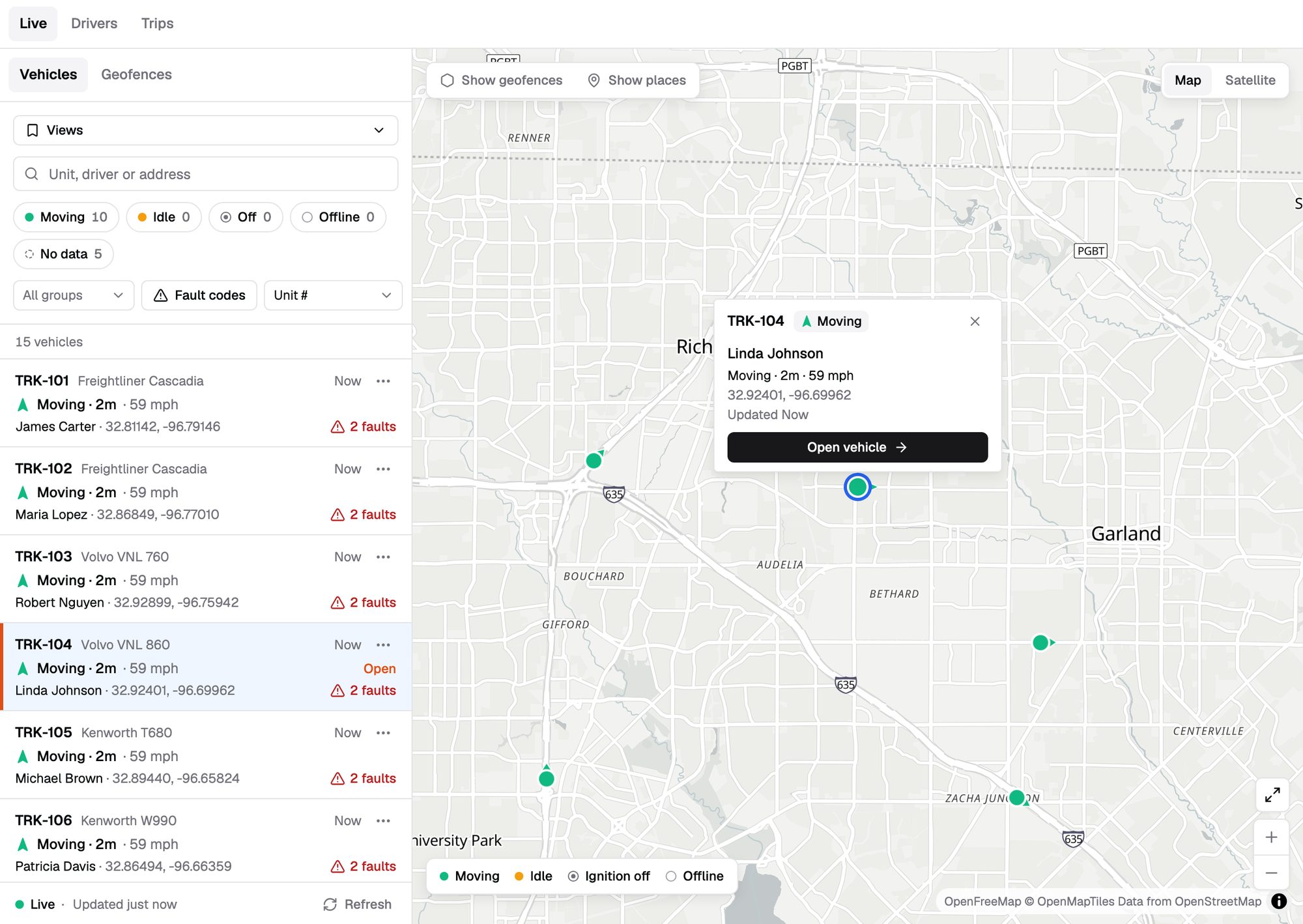
Live map.
Every truck, updating as it moves.
Truck status.
Moving, idle, off or offline at a glance.
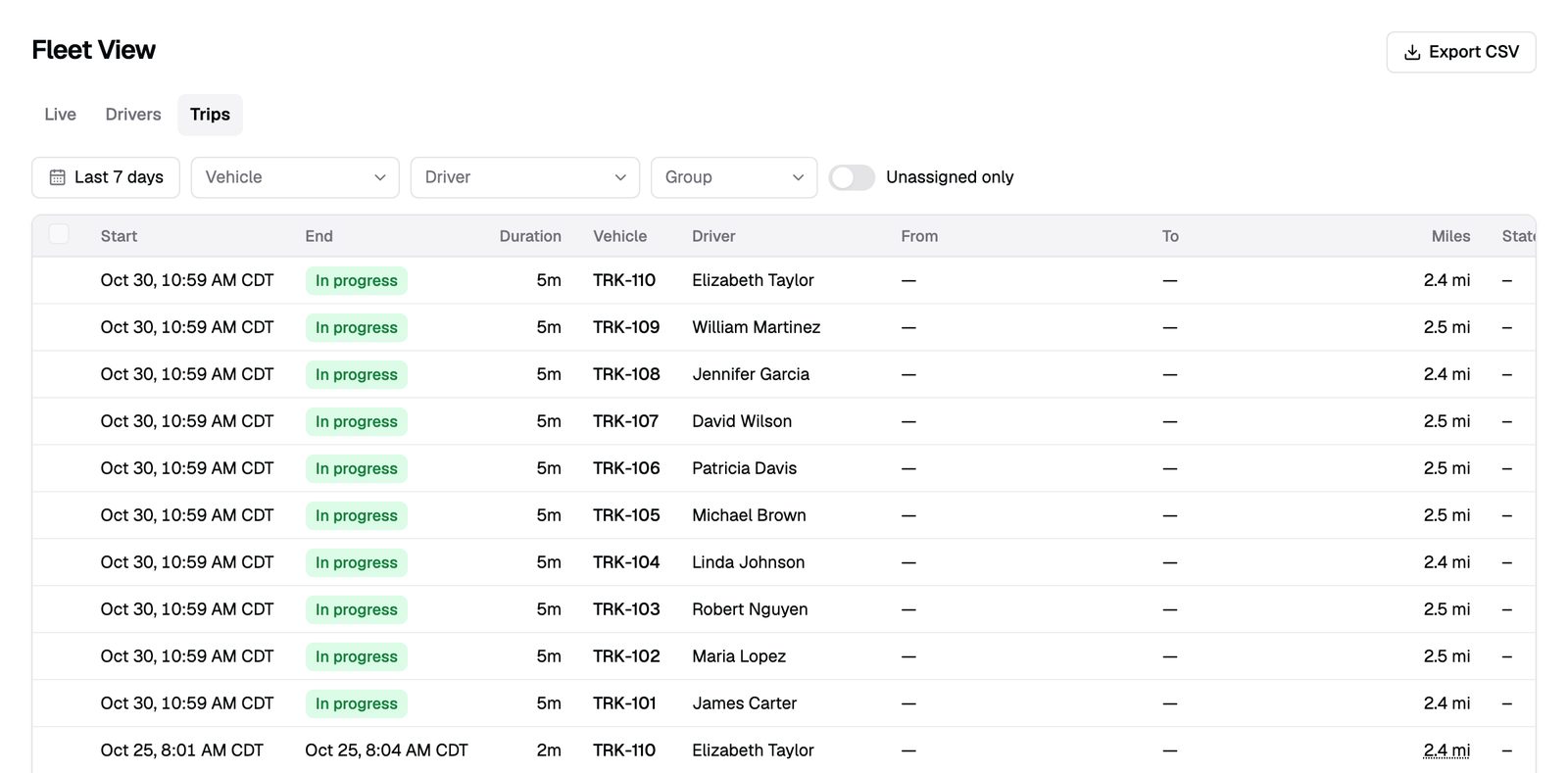
Trips and stops.
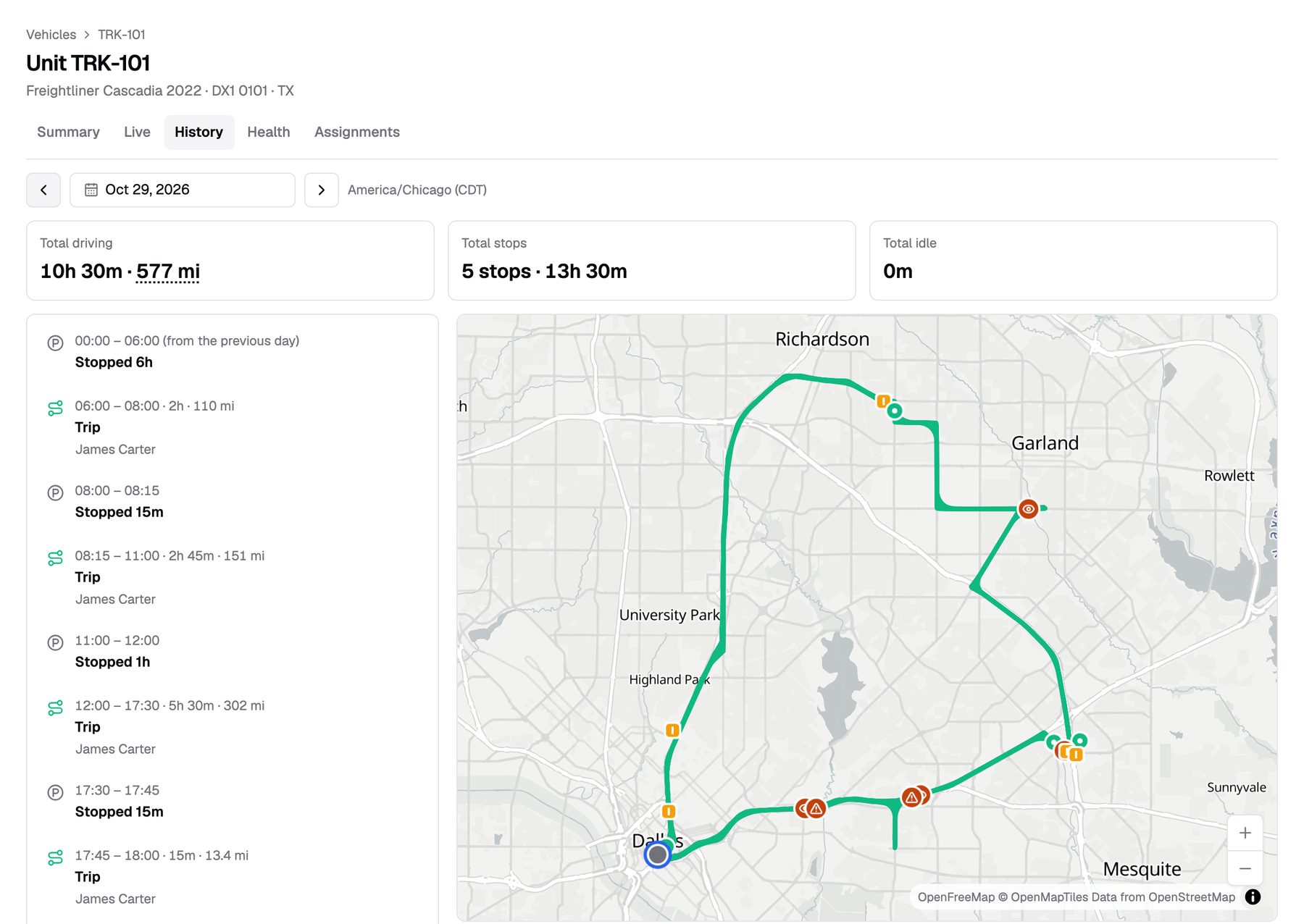
Every trip with miles, duration and start and end.
Idle time.
See which trucks idle and for how long.
History replay.
Play back any day with speed along the route.
Driver assignment.
Every trip and event has a driver's name.
Groups by terminal.
Each team sees its own trucks.
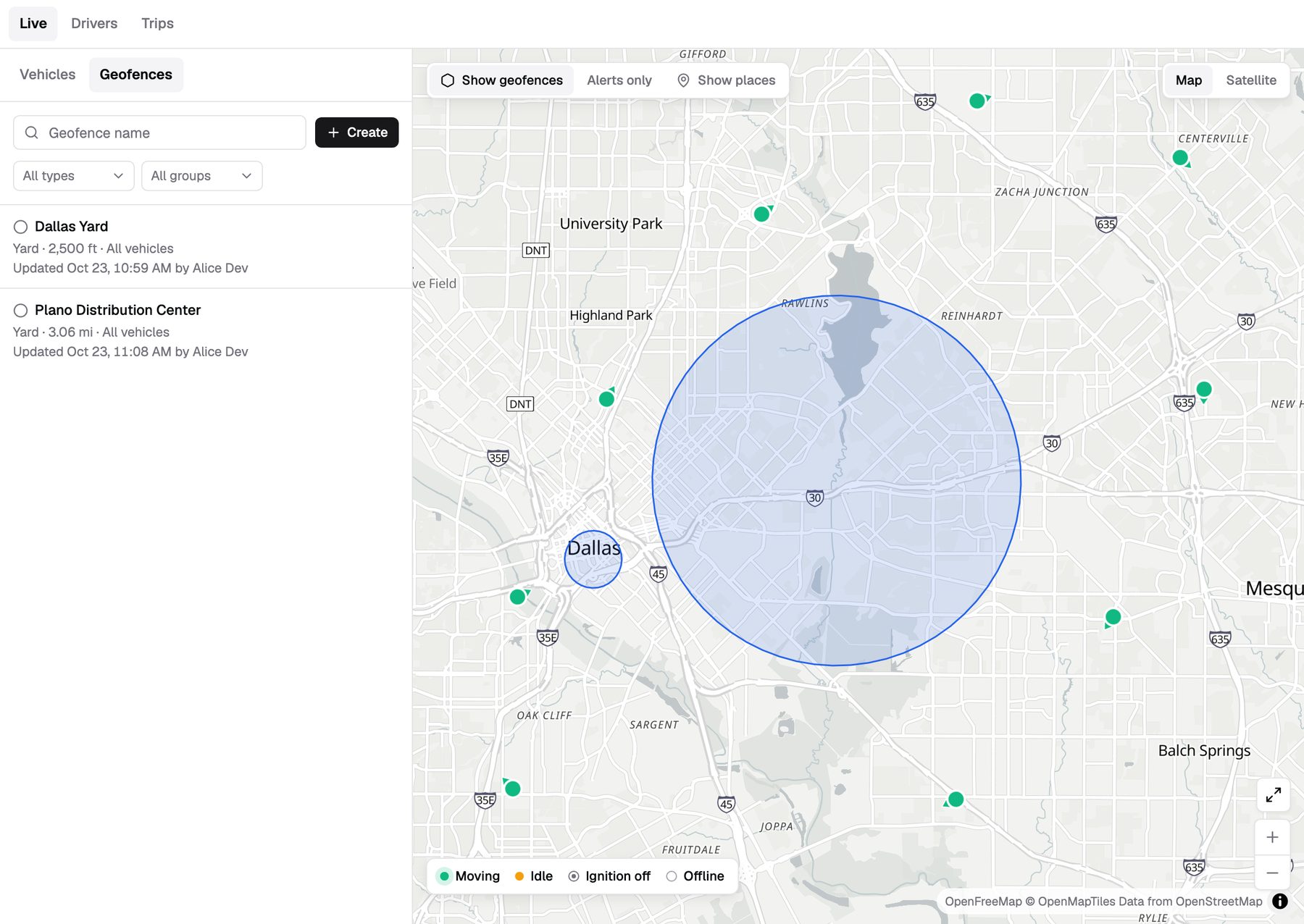
Geofences.
Draw circles or polygons and get entry and exit alerts.
Truck stops on the map.
31,000+ truck stops, fuel stations and rest areas.
Answer "where's the truck?" in seconds
Type a unit number or a driver's name and the map jumps to the truck. The card shows status, speed, driver and current address.
- Status colors. Moving, idle, off and offline, each with its own color.
- Vehicle list. Sort and search beside the map.
- Share a live location. Send a link with the truck's position. The receiver needs no login, and you can revoke it.
Every mile, every stop, every day
Roudiy turns GPS points into trips you can read. Each day shows where the truck went, how long it took and how far.
- Miles you can trust. Trip miles come from the engine odometer when the gateway provides it.
- Stops and idle, kept apart. A parked truck and an idling engine are different lines.
- Gaps shown as gaps. If GPS drops, history draws a dotted line. We don't guess the route.
- Replay with speed. Play back the day at ×1, ×10 or ×60, with speed, fuel and RPM charts.
Put a name on every trip
Dispatchers assign drivers to trucks in the web app. Trips, events and scores follow that assignment.
- No driver app. Drivers never log in or install anything.
- Fix the past. Assign a driver to a trip from an earlier date.
- Assignment history. See who drove which truck, and when.
Know when trucks arrive and leave
Draw your own geofences for yards, shippers and customers. Truck stops and rest areas are already on the map.
- Your geofences. Circles or polygons, drawn on the map or imported from CSV.
- Entry and exit alerts. By email or in the dashboard, for the trucks you pick.
- 31,000+ places built in. Truck stops, fuel stations and rest areas as a map layer.
The numbers, without the spreadsheet work
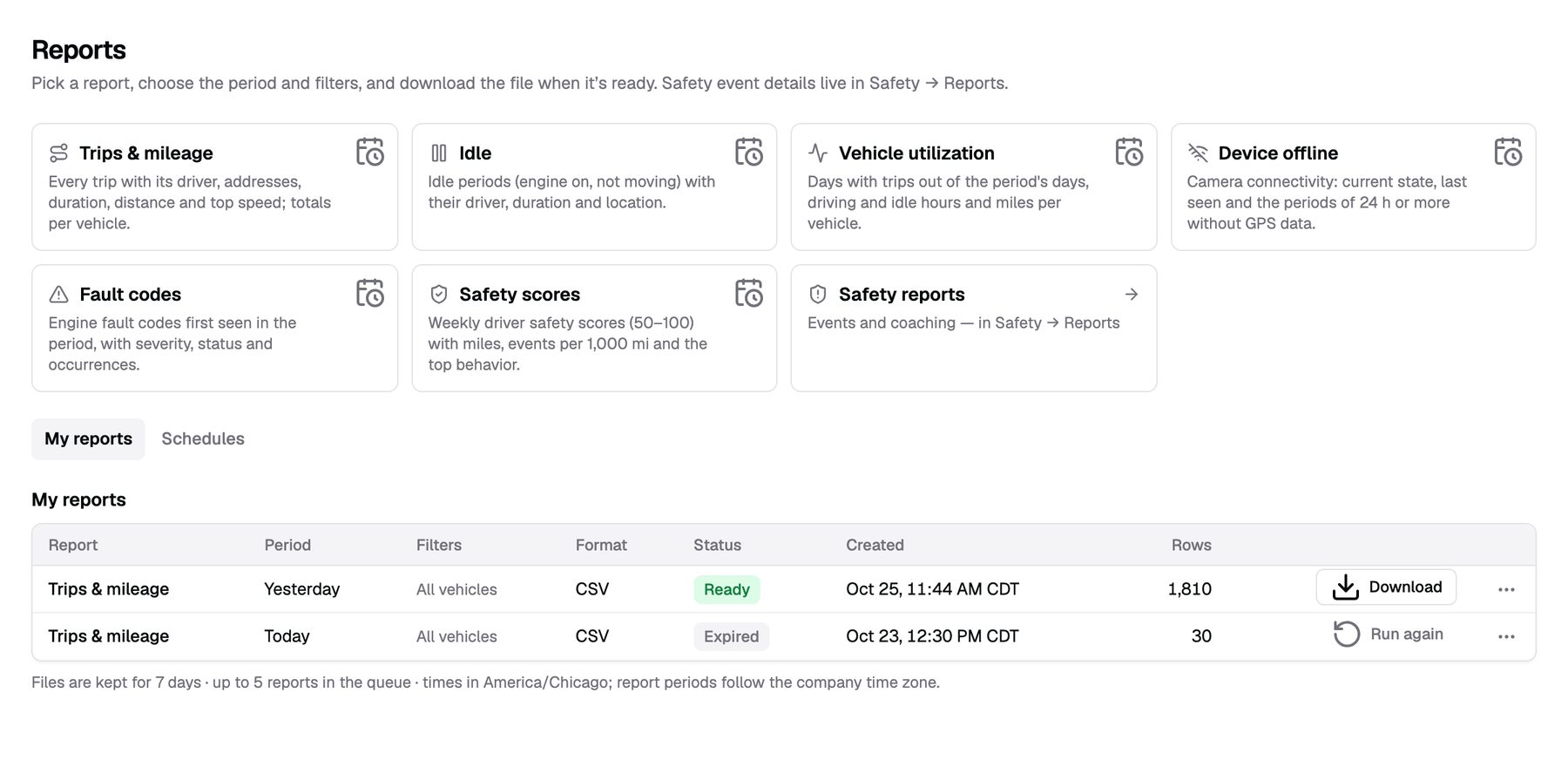
Run fleet reports in a few clicks. Download them or have them sent on a schedule.
- Trips and mileage, idle, utilization. Per truck, per group, per period.
- Device offline. See which kits stopped reporting.
- CSV and PDF. Scheduled daily, weekly or monthly.
What GPS tracking doesn't do
- No route planning. Roudiy shows where trucks are and were. It doesn't plan routes or assign loads.
- No trailer tracking. The kit tracks the truck it's installed in.
- Offline means offline. When a kit stops reporting, the map shows its last known spot, clearly marked.
From quote to live in three steps
Get pricing
Tell us your fleet size. We send pricing and book your install.
We install
Our technician installs the kit and checks the GPS fix before leaving.
You're live
The truck shows up on your map the same day.
Billing starts the day a kit passes its install check.
How often does the position update?
The map and vehicle list refresh every 30 seconds.
Can I see yesterday's route?
Yes. Open the truck's history, pick the day, and replay it with speed along the route.
What does "offline" mean?
The kit stopped reporting. The map shows the last known location. If a kit is silent for 24 hours, you get an alert.
Do my drivers need an app?
No. Dispatchers assign drivers in the web app. Drivers never log in.
Ready to see your fleet?
Tell us about your trucks and we will put pricing in writing.
or call (855) 555-0142