The warning before. The video after.
The camera alerts the driver the moment it detects a risk. If something still happens, the clip is already in your inbox.
Detection runs on the cameraRoad and driver videoInstalled for you
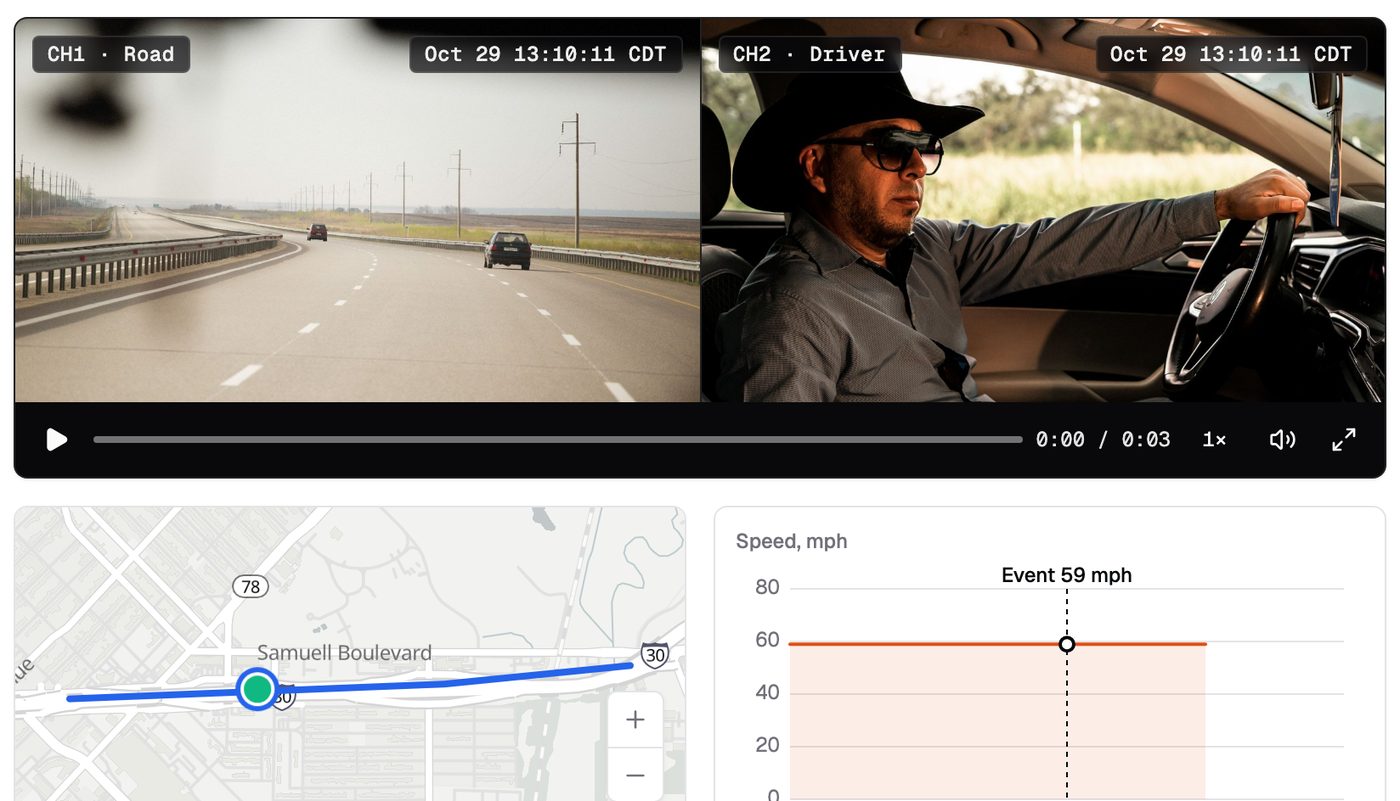
The driver hears it first
Detection runs on the camera, not in the cloud. The driver gets a voice alert in the cab.
- Road risks. Forward collision, close following, lane departure and pedestrians.
- Cab risks. Distraction, phone use, fatigue, eyes closed and head down.
- Driving. Harsh braking, acceleration and turns, plus speeding.
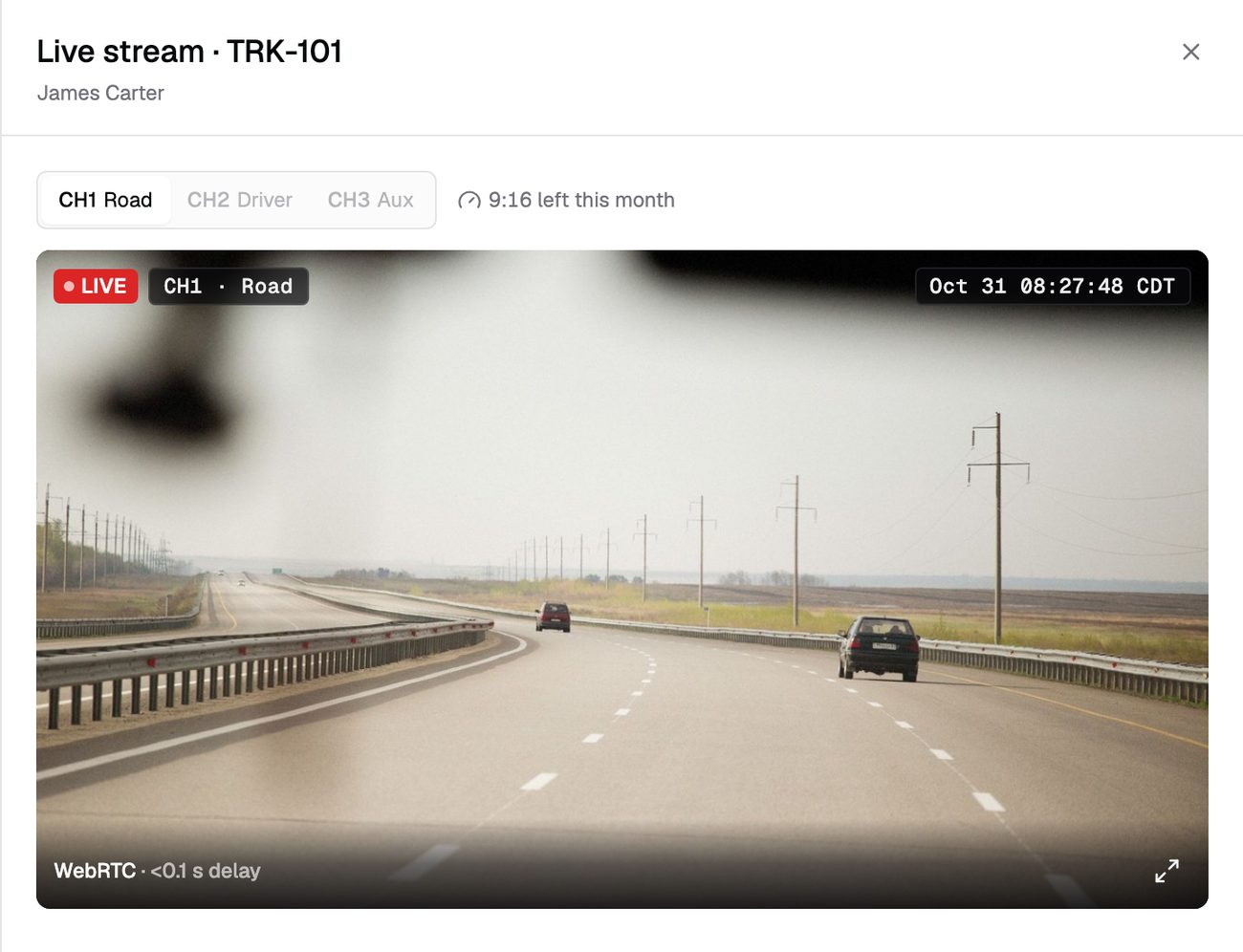
When it happens, video comes to you
A collision or SOS pulls road and cab video automatically. You don't have to ask for it.
- Both views. What the road looked like, and what happened in the cab.
- Ranked critical. Collisions land at the top of the Safety Inbox.
- Stored on the SD card. If the truck is offline, request the clip when it reconnects.
The facts, ready for your insurer
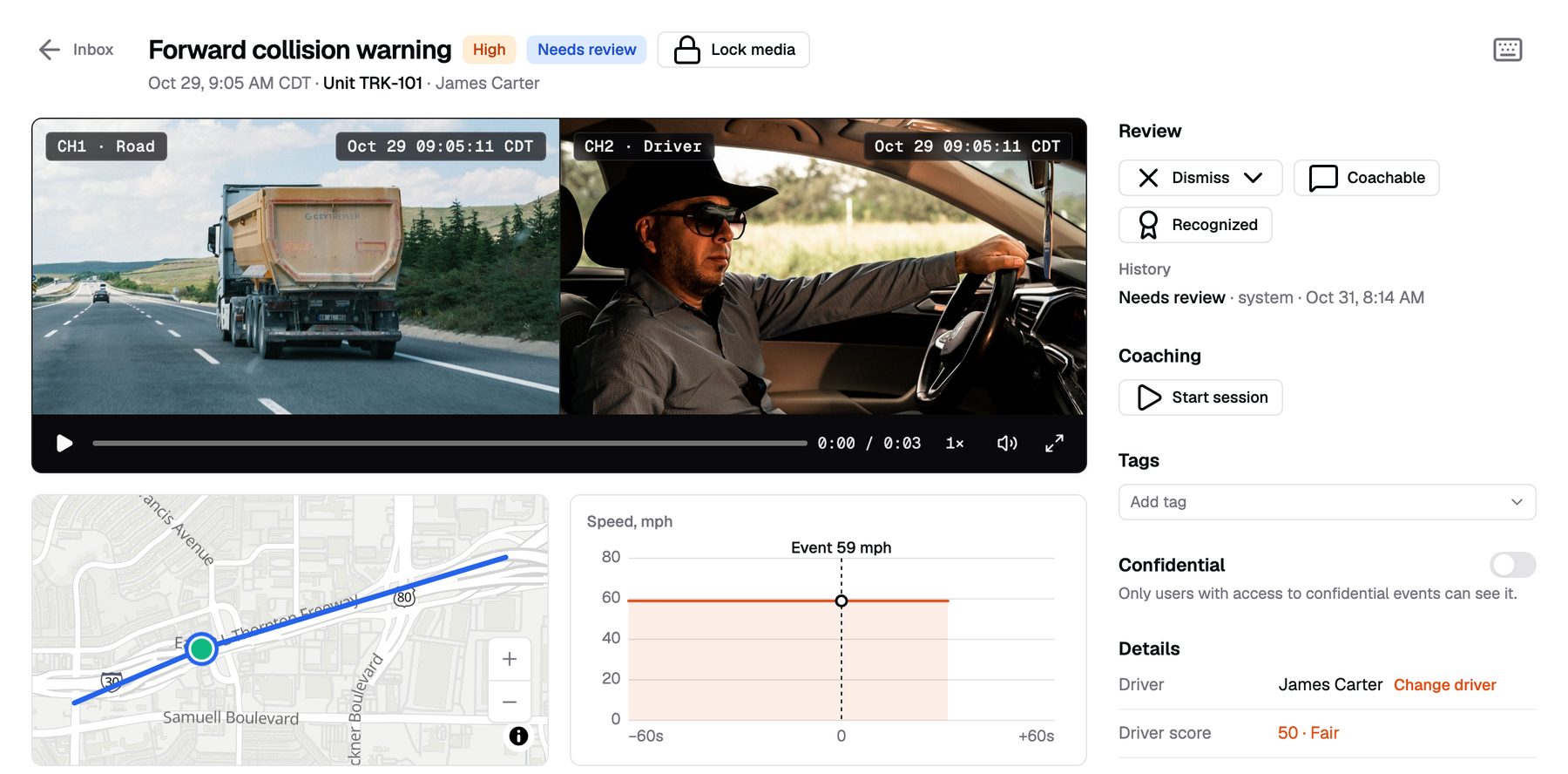
Every event has its video, map position and speed in one place. Download the clip as MP4 for a claim.
- Event detail. Video, location, speed and time on one screen.
- Any time range. Request more video from the SD card around the event.
See who needs a conversation
Each driver gets a weekly score from 50 to 100, built from ten behaviors. Low scores point you to the right events.
Weekly driver score
From 50 to 100, built from ten behaviors.
Coaching sessions
Pick events, assign a coach and a due date.
Track follow-through
See which sessions are overdue.
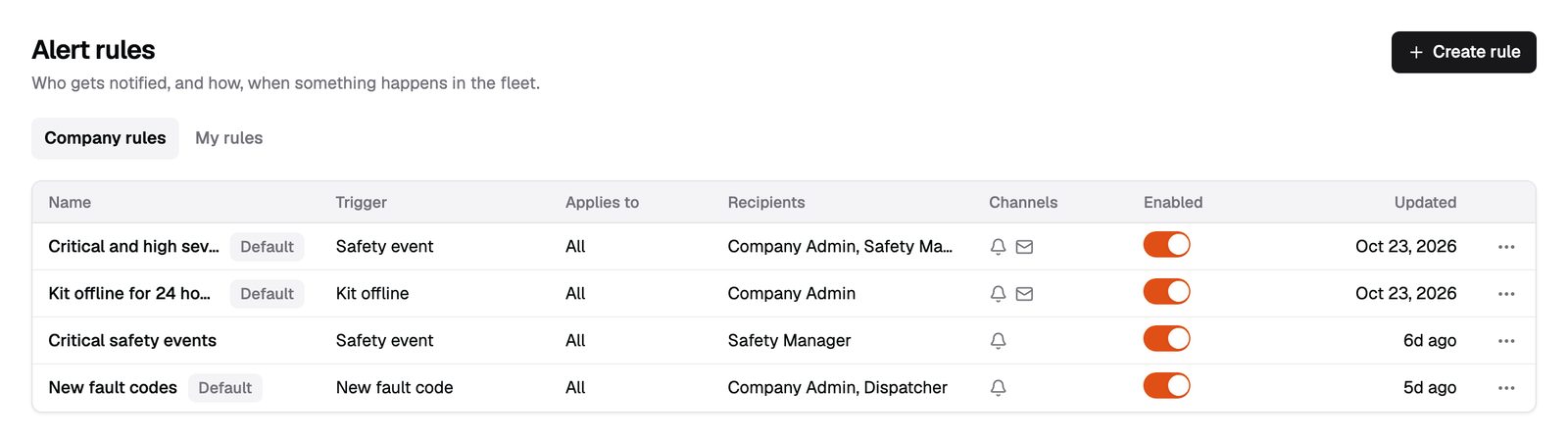
Critical events reach you right away
Send critical events to the owner and the safety manager. One alert per event, not a flood.
- By group, truck or driver. Each rule has its own recipients.
- Email and in-app. Alerts arrive by email and in the dashboard.
What we won't promise
- No reduction percentages. We don't have the fleet history yet, and your results depend on your drivers.
- The camera warns. The driver drives. Alerts help, but they don't brake the truck.
- Crash packets for your insurercoming soon Today, download the clip and send it yourself.
From quote to live in three steps
Get pricing
Tell us your fleet size. We send pricing in writing.
We install
Our technician installs the kit and checks every camera.
You're live
Alerts and events start the same day.
Will the camera stop an accident?
No. It warns the driver, and the driver drives. It also captures what happened.
Can I share a clip with my insurer?
Yes. Download the clip as an MP4 and send it.
Does the driver know they're recorded?
Your company policy decides how you tell drivers about the cameras.
Who can see the driver-facing video?
Only roles you allow. Dispatchers can see the road camera and the event without the cab view.
Warn the driver. Keep the facts.
Tell us about your trucks and we will put pricing in writing.
or call (855) 555-0142